Services
Computer repair & setup
Working out what's wrong is free over the phone or remotely. You'll find out what the problem is, what it would take to fix, and what that would cost — before you commit to anything. If it turns out to need someone on site, we'll tell you what the visit costs before we set off, so there's no surprise either way.
That matters because the diagnosis is where you're most exposed. If finding out what's wrong costs money, you're paying someone to tell you what to buy from them. A good share of the time the honest answer is smaller and cheaper than people expect, and this way there's nothing standing between you and hearing it.
We work on both business and home machines, on-site where it helps and remotely when that gets you working sooner.
The slow computer, explained
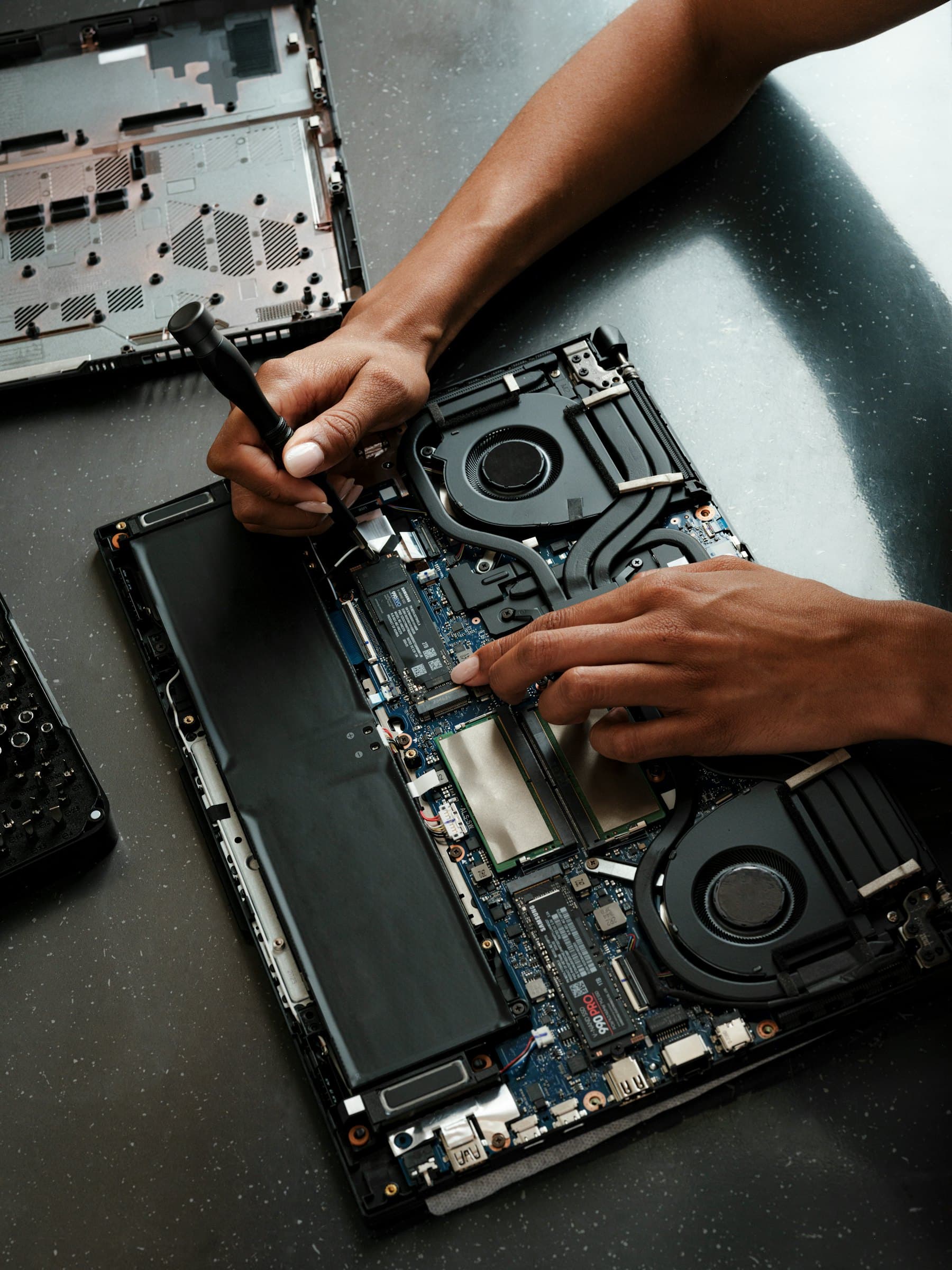
This is the single most common call we get, and the cause is nearly always the same. If the machine is more than about five years old, it likely has a mechanical hard drive — a spinning disk with a moving arm. Every program launch and every file open waits on that arm physically moving. Replacing it with an SSD is the single biggest speed improvement available for an older computer, and it's inexpensive.
The second cause is memory. When there isn't enough RAM for what you have open, the machine starts using the disk as overflow, which is dramatically slower. Adding memory to a machine that's short of it produces an immediate, obvious difference.
Both are cheap parts. Between them they account for most of the machines people are about to throw away.
Repair or replace — how we decide
Because the remote diagnosis costs nothing, you usually get this answer before you've spent a penny. There's a point where repair stops being sensible and we'll tell you when you've reached it rather than taking the work. The honest framing is what the repair costs against what the machine will be worth doing for you afterwards.
Worth repairing: a slow but otherwise sound machine, a failed drive with the rest in good order, a cracked screen on a laptop that's otherwise fine, most software and malware problems.
Usually not worth it: a laptop that's had a significant liquid spill, a failed motherboard on a machine already several years old, or hardware so old it can't run a supported operating system. In that last case the security problem outlives the repair.
What we handle
- Diagnosis of slow, unstable, or unresponsive machines
- SSD and memory upgrades, including cloning your existing setup across
- Failed drives, and data recovery where the drive is still readable
- Virus and malware removal, plus finding how it got in
- Operating system problems, failed updates, and machines that won't boot
- Screen, battery, keyboard and fan replacements on repairable models
- New computer setup and data migration from the old one
- Business workstation configuration, accounts, printers and shared drives
Your data, while we have your machine
Worth saying plainly, because people are reasonably uncomfortable handing over a computer with their whole life on it. We look at what's needed to fix the problem and nothing else. We don't copy your files anywhere except where a repair requires it — a drive replacement, for instance — and anything we do copy is removed once you've confirmed everything is back.
If you have something particularly sensitive on the machine, say so when you call and we'll tell you honestly whether the repair can be done without touching it.
Backups first
If your machine is behaving strangely and your files aren't backed up anywhere, that's the urgent problem, not the symptom. A drive that's beginning to fail often gives warning for weeks, and the difference between a routine repair and a genuine disaster is whether the data existed in a second place beforehand. Call before it gets worse rather than after — recovery from a dying drive is possible but it is far more expensive than a backup would have been.
Common questions
Do you charge to tell me what's wrong with it?
Not over the phone or remotely — that part is free. A surprising number of problems can be identified that way, and some can be fixed outright without anyone visiting. You'll be told what it would take to put right and what that costs, and if you decide not to go ahead you owe nothing. If it does need someone on site, we'll tell you what the visit costs before we set off.
My computer is slow. Do I need a new one?
Usually not, and we'd rather tell you that than sell you a machine. On a computer five or six years old, the cause is nearly always a mechanical hard drive or not enough memory, and both are inexpensive to change. If it genuinely isn't worth saving you'll be told plainly, with the reason.
Can you recover files from a computer that won't turn on?
Often, yes. A machine that won't boot frequently has a perfectly readable drive with a failure elsewhere, and getting the data off is straightforward. Where the drive itself is physically failing it gets harder and success isn't guaranteed — in that case we'll tell you what we think the odds are before you spend anything.
Do I have to bring it to you?
No. We're a service-area business, so we come to you — home or office. Plenty of problems can also be dealt with remotely without a visit at all, and we'll tell you upfront which kind you have.
How long does a repair take?
It depends on what's wrong and whether a part is needed. Software problems and malware removal are often same-day. Anything requiring a part depends on getting the part. You'll get a realistic estimate when we know what we're dealing with, rather than an optimistic one when we don't.
No obligation
Talk it through first
Tell us what's happening and we'll give you an honest read on what it needs — including if that turns out to be nothing. We work across Middlesex, Somerset, and Mercer County.
Reading on this
- Why Is My Computer So Slow? What Actually Fixes ItSlow almost never means "time for a new one." Here's how to work out what's actually causing it, in the order worth checking, and when replacing really is the cheaper answer.
- Still Running Windows 10? What End of Support Actually MeansSupport ended in October 2025 and the paid consumer extension runs out this October. Here's what "unsupported" actually means in practice, and how to decide between upgrading, extending, and replacing.
Other services
- Managed IT supportProactive monitoring, patching, and help-desk support that keeps your systems healthy—so problems get solved before they cost you time.
- Networks & Wi-FiFast, secure, reliable connectivity. We design, install, and tune networks for offices and homes that just work.
- Fully Managed ITYour whole IT function, outsourced. No internal IT person, and no expectation that anyone on your staff becomes one.
- Co-Managed ITYou already have an IT person. We take the specialist load, the out-of-hours cover, and the projects that would otherwise stall.
- Microsoft 365Setup, migration, licensing and the security settings that Microsoft leaves switched off — email, files and accounts configured properly.
- IT ModernizationReplacing the setup that grew by accident — a roadmap, a modern workplace, and the manual steps automated away.
- AI Enablement & AutomationPractical uses of AI in a small business, the setup to do it without leaking your data, and honesty about where it does not help.
- Security AdvisoryFractional security guidance for a business that needs the thinking but cannot justify hiring for it.
- HIPAA Security & ComplianceSecurity risk assessments, staff training and the technical safeguards HIPAA requires, for small medical and dental practices.